
FortiBleed: What Businesses Need to Know About the Fortinet Credential Exposure Campaign
July 28, 2026
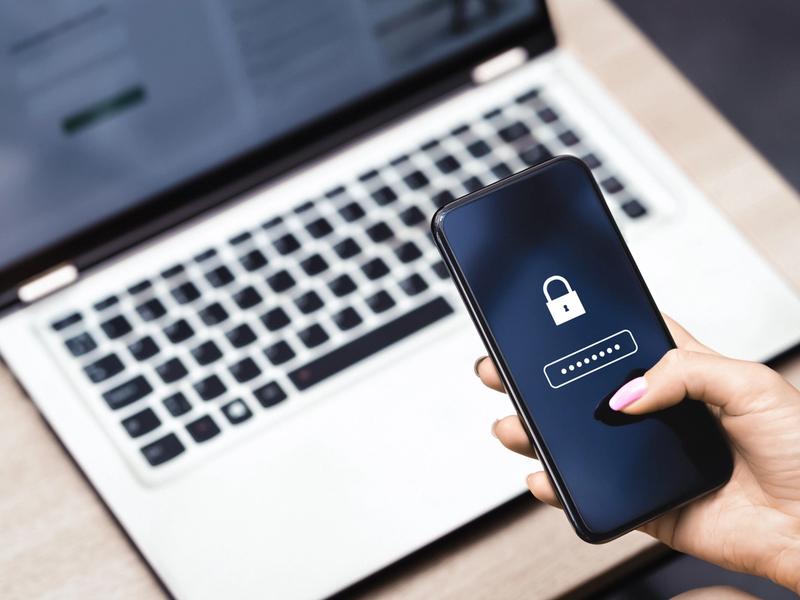
Firewalls are designed to keep unauthorized users out of a business’s network. But when an attacker obtains a valid username and password, they may be able to access the same systems trusted employees and administrators use every day.
That is the concern surrounding FortiBleed, a large-scale credential exposure campaign involving internet-facing Fortinet FortiGate firewalls and VPN gateways.
Fortinet has said the activity is not connected to a new software vulnerability. Its initial analysis points instead to reused credentials, brute-force activity, weak password practices, and accounts that were not protected by multi-factor authentication, or MFA.[1]
For businesses using Fortinet devices, the immediate priority is to understand whether credentials or systems may have been exposed and take practical steps to reduce further risk.
What Is FortiBleed?
FortiBleed is the name researchers have given to a campaign involving exposed administrative and VPN credentials connected to Fortinet devices.
In June 2026, researchers reported finding a database containing credentials associated with organizations in 194 countries. The Cybersecurity and Infrastructure Security Agency, or CISA, reported that the leaked credentials were connected to approximately 74,000 Fortinet devices.[2]
That figure does not necessarily mean that 74,000 organizations experienced a broader network compromise. It does, however, show the potential scale of the exposure.
The database reportedly included usernames, email addresses, and passwords associated with more than 21,000 domains. Businesses, government entities, and organizations across several industries appeared in the data.[3]
FortiBleed is also different from many high-profile cyber incidents. It is not believed to involve a newly discovered zero-day vulnerability that can be addressed with a single new patch. Fortinet has stated that the activity is not connected to a recent security advisory or newly identified Fortinet vulnerability.[1]
How Did This Happen?
The complete history of every credential in the database is not known. Current reporting suggests that attackers may have used several methods to collect or test credentials, including:
- Credentials obtained through earlier security incidents
- Brute-force and dictionary attacks
- Passwords exposed in previous data breaches
- Weak or reused administrative passwords
- Internet-facing management and VPN portals without MFA
- Credentials recovered from configuration files or password hashes
The UK National Cyber Security Centre, or NCSC, reported that the exposed database followed brute-force, dictionary, and credential-stuffing attempts against internet-facing FortiGate and VPN portals.[4]
Sophos also reported evidence involving exported configuration files and password-hash cracking. However, the company noted that public information about how every credential was originally obtained remains limited.[3]
This distinction matters. When an attacker uses a working administrator or VPN password, the activity may initially look like a legitimate login. That can make unauthorized access harder to identify than a traditional attempt to exploit a software flaw.
Why This Matters
Fortinet firewalls and VPN gateways often sit at the edge of an organization’s network. They may control remote access, administrative functions, and connections to important internal systems.
An attacker who gains administrative access may be able to:
- Change firewall or VPN settings
- Create unauthorized accounts
- Establish persistent remote access
- Disable or weaken security controls
- Access connected authentication systems
- Use the device to reach other parts of the network
- Attempt to steal information or deploy ransomware
An exposed credential does not automatically mean the entire network was compromised. Still, credentials for a perimeter security device should be treated seriously and reviewed promptly.
Fortinet recommends checking device configurations for unauthorized changes, reviewing administrator accounts, and examining logs for unusual access or signs that an attacker attempted to move beyond the device.[1]
Current Situation
Government agencies, Fortinet, and cybersecurity firms have advised organizations to review their environments and strengthen affected devices.
CISA issued an alert following reports that credentials associated with approximately 74,000 Fortinet devices had been exposed.[2] The NCSC also advised organizations using Fortinet firewalls and VPN gateways to look for unauthorized accounts, unusual log activity, and other possible signs of compromise.[4]
Fortinet has said it identified systems that may have been affected and is contacting customers as part of its response.[1]
Because the available information may continue to change, businesses should follow current guidance from Fortinet and relevant government cybersecurity authorities.
Recommended Actions
Businesses should work with their internal cybersecurity team, managed service provider, incident response partner, or another qualified technology professional before making significant changes to critical systems.
The following steps can provide a starting point.
1. End active sessions and reset credentials
Terminate active administrator and VPN sessions. Reset administrative and VPN passwords, with particular attention to internet-facing systems.
Use strong, unique passwords that are not shared with other accounts or platforms.
2. Review connected accounts
Identify whether the Fortinet device connects to Active Directory, LDAP, RADIUS, APIs, service accounts, or other authentication services.
When exposure is suspected, credentials connected to those systems may also need to be reviewed and reset.[1][3]
3. Enable multi-factor authentication
Require MFA for administrator, VPN, remote-access, and other privileged accounts.
Fortinet recommends MFA for administrator and VPN users. The NCSC also recommends MFA for VPN and device-management access.[1][4]
MFA adds another layer of verification, which can help prevent a stolen password from being enough to access a system.
4. Limit administrative access
Avoid making device-management portals directly available from the public internet whenever possible.
Restrict access to trusted internal networks, approved devices, secured administrative systems, or VPN connections protected by MFA.
5. Review accounts and configurations
Check for activity that does not match approved business or technology changes, including:
- Administrator or VPN accounts no one recognizes
- Unexpected password resets
- Changes to firewall or VPN rules
- New remote-access settings
- Other unapproved configuration changes
When possible, compare the current configuration with a known and trusted version.
6. Review logs and network activity
Look for unusual administrator logins, unfamiliar IP addresses or locations, configuration exports, unexpected account activity, and unexplained system changes.
The review should not stop at the Fortinet device. Connected systems may also need to be checked for signs of unauthorized access.
7. Update and harden affected devices
FortiBleed is not considered a new software vulnerability, but supported and current software still matters.
Organizations should follow Fortinet’s recommended upgrade path and confirm that their devices are running supported software. Fortinet also recommends versions that use stronger PBKDF2 password hashing for administrator credentials.[1]
Devices that are no longer supported should be evaluated for replacement or removal from service.
8. Investigate signs of compromise
Resetting a password may not resolve the issue when an attacker has already created another account, changed a configuration, or established another way to access the network.
Fortinet advises treating a device as compromised when unauthorized configuration changes or other indicators are found.[1] The NCSC also recommends isolating affected devices, preserving relevant evidence, and investigating other systems that may have been accessible from the device.[4]
Organizations should follow their incident response plan and involve appropriate cybersecurity, legal, and risk-management professionals.
The Bigger Picture
FortiBleed highlights a broader reality about cyber risk. Attackers do not always need a sophisticated new vulnerability to gain access.
A reused password, an exposed management portal, or an account without MFA may provide another path into an organization.
Patching remains an important part of cybersecurity, but it is not the full picture. Businesses also need to manage identities, limit privileged access, secure remote connections, monitor unusual activity, and maintain strong password practices.
The FortiBleed campaign gives organizations an opportunity to ask a few practical questions:
- Are administrative portals exposed to the public internet?
- Do all privileged accounts require MFA?
- Are passwords unique across systems?
- Would the organization recognize an unexpected configuration export?
- Does the team know what to do when suspicious access is detected?
Clear answers can help identify weaknesses before they contribute to a larger incident.
Where Cyber Insurance Fits
Strong cybersecurity controls can reduce risk, but they cannot eliminate it completely.
Cyber insurance may help support an organization’s response to a covered incident through resources such as breach counsel, digital forensics, incident response support, crisis communications, data recovery, and certain business interruption coverage.
Coverage depends on the specific policy terms, carrier, jurisdiction, cause of loss, and the organization’s risk profile. Businesses should review their coverage and incident response plans before an event occurs.
Insurers may also consider controls such as MFA, secure remote access, privileged-account management, supported software, and timely security updates when evaluating cyber risk.
Cyber insurance does not replace strong security practices. It can support a broader plan for preparing for, responding to, and recovering from an incident.
To discuss how cyber insurance may fit into your broader risk-management strategy, connect with a Patriot Growth Insurance Services expert.
Final Thoughts
FortiBleed is a useful reminder that cybersecurity is not only about patching software. Businesses also need to understand who has access to critical systems, how credentials are managed, and whether unusual activity would be detected quickly.
Organizations using Fortinet FortiGate firewalls or VPN gateways should review current vendor guidance, reset relevant credentials, confirm that MFA is in place, limit administrative access, and investigate potential signs of unauthorized activity.
These steps can help businesses better understand their exposure and make informed decisions about what comes next.
To discuss how cyber insurance fits into your broader risk-management strategy, connect with a local Patriot expert.
Sources
[1] Fortinet: “Analysis of Reported Credential Compromise of FortiGate Devices,” June 19, 2026.
[2] Cybersecurity and Infrastructure Security Agency: “CISA Urges Hardening Fortinet Devices After Reports of Credential Exposure,” June 18, 2026.
[3] Sophos: “Fortinet ‘FortiBleed’ Credential Exposure and Sophos VPN Bruteforcing Campaign,” updated June 23, 2026.
[4] UK National Cyber Security Centre: “Advice Following Global Targeting of Fortinet Firewalls and VPN Gateways,” June 18, 2026.
'%3e%3cpath%20d='M21.0003%200.411865C9.67681%200.411865%200.412109%209.67657%200.412109%2021.0001C0.412109%2031.1913%207.82387%2039.6324%2017.6033%2041.3824C17.6033%2041.3824%2017.6508%2041.3436%2017.7251%2041.2829C17.7188%2041.2818%2017.7125%2041.2807%2017.7062%2041.2795V26.7648H12.5592V21.0001H17.7062V16.4707C17.7062%2011.3236%2021.0003%208.44128%2025.7356%208.44128C27.1768%208.44128%2028.8239%208.64716%2030.265%208.85304V14.103H27.5886C25.118%2014.103%2024.5003%2015.3383%2024.5003%2016.9854V21.0001H29.9562L29.0298%2026.7648H24.5003V41.2795C24.4374%2041.2909%2024.374%2041.3007%2024.311%2041.3115L24.3974%2041.3824C34.1768%2039.6324%2041.5886%2031.1913%2041.5886%2021.0001C41.5886%209.67657%2032.3239%200.411865%2021.0003%200.411865Z'%20fill='%23440099'/%3e%3cpath%20d='M24.4998%2026.7647H29.0292L29.9557%2021H24.4998V16.9853C24.4998%2015.3382%2025.1174%2014.1029%2027.588%2014.1029H30.2645V8.85293C28.8233%208.64704%2027.1762%208.44116%2025.7351%208.44116C20.9998%208.44116%2017.7057%2011.3235%2017.7057%2016.4706V21H12.5586V26.7647H17.7057V41.2794C17.7119%2041.2805%2017.7182%2041.2817%2017.7245%2041.2828C18.8506%2041.4864%2019.9766%2041.5882%2021.1027%2041.5882C22.2288%2041.5882%2023.241%2041.495%2024.3105%2041.3114C24.3734%2041.3006%2024.4369%2041.2908%2024.4998%2041.2794V26.7647Z'%20fill='white'/%3e%3c/g%3e%3cdefs%3e%3cclipPath%20id='clip0_1004_2093'%3e%3crect%20width='42'%20height='42'%20fill='white'/%3e%3c/clipPath%3e%3c/defs%3e%3c/svg%3e)
'%3e%3cpath%20d='M21.5003%200.421631C9.85916%200.421631%200.421875%209.85891%200.421875%2021.5001C0.421875%2033.1412%209.85916%2042.5785%2021.5003%2042.5785C33.1415%2042.5785%2042.5787%2033.1412%2042.5787%2021.5001C42.5787%209.85891%2033.1415%200.421631%2021.5003%200.421631ZM26.2365%2033.4679L19.8509%2024.1747L11.8563%2033.4679H9.79007L18.9334%2022.8397L9.79007%209.53278H16.7641L22.8107%2018.3324L30.3814%209.53278H32.4476L23.7288%2019.668L33.2111%2033.4679H26.2371H26.2365Z'%20fill='%23440099'/%3e%3cpath%20d='M12.5996%2011.0879L27.2075%2031.9831H30.381L15.7737%2011.0879H12.5996Z'%20fill='%23440099'/%3e%3c/g%3e%3cdefs%3e%3cclipPath%20id='clip0_1004_2085'%3e%3crect%20width='43'%20height='43'%20fill='white'/%3e%3c/clipPath%3e%3c/defs%3e%3c/svg%3e)
'%3e%3cpath%20d='M21.0003%200.411865C9.62992%200.411865%200.412109%209.62967%200.412109%2021.0001C0.412109%2032.3705%209.62992%2041.5883%2021.0003%2041.5883C32.3708%2041.5883%2041.5886%2032.3705%2041.5886%2021.0001C41.5886%209.62967%2032.3708%200.411865%2021.0003%200.411865ZM14.1393%2033.5349H8.96309V16.8218H14.1393V33.5349ZM11.5263%2014.6332C9.83523%2014.6332%208.46497%2013.2521%208.46497%2011.549C8.46497%209.84585%209.83523%208.46472%2011.5263%208.46472C13.2174%208.46472%2014.5865%209.84585%2014.5865%2011.549C14.5865%2013.2521%2013.2174%2014.6332%2011.5263%2014.6332ZM33.5351%2033.5349H28.3841V24.7615C28.3841%2022.3561%2027.4702%2021.0115%2025.5664%2021.0115C23.495%2021.0115%2022.4129%2022.4104%2022.4129%2024.7615V33.5349H17.4489V16.8218H22.4129V19.0734C22.4129%2019.0734%2023.9056%2016.3117%2027.4525%2016.3117C30.9994%2016.3117%2033.5357%2018.4763%2033.5357%2022.9537V33.5355L33.5351%2033.5349Z'%20fill='%23440099'/%3e%3c/g%3e%3cdefs%3e%3cclipPath%20id='clip0_1004_2088'%3e%3crect%20width='42'%20height='42'%20fill='white'/%3e%3c/clipPath%3e%3c/defs%3e%3c/svg%3e)